Hebrew Date Bubble
Right-click any date to view the Hebrew calendar equivalent in a stylish, customizable popup bubble.
Add to Chrome — it's freeRight-click any date to view the Hebrew calendar equivalent in a stylish, customizable popup bubble.
Add to Chrome — it's free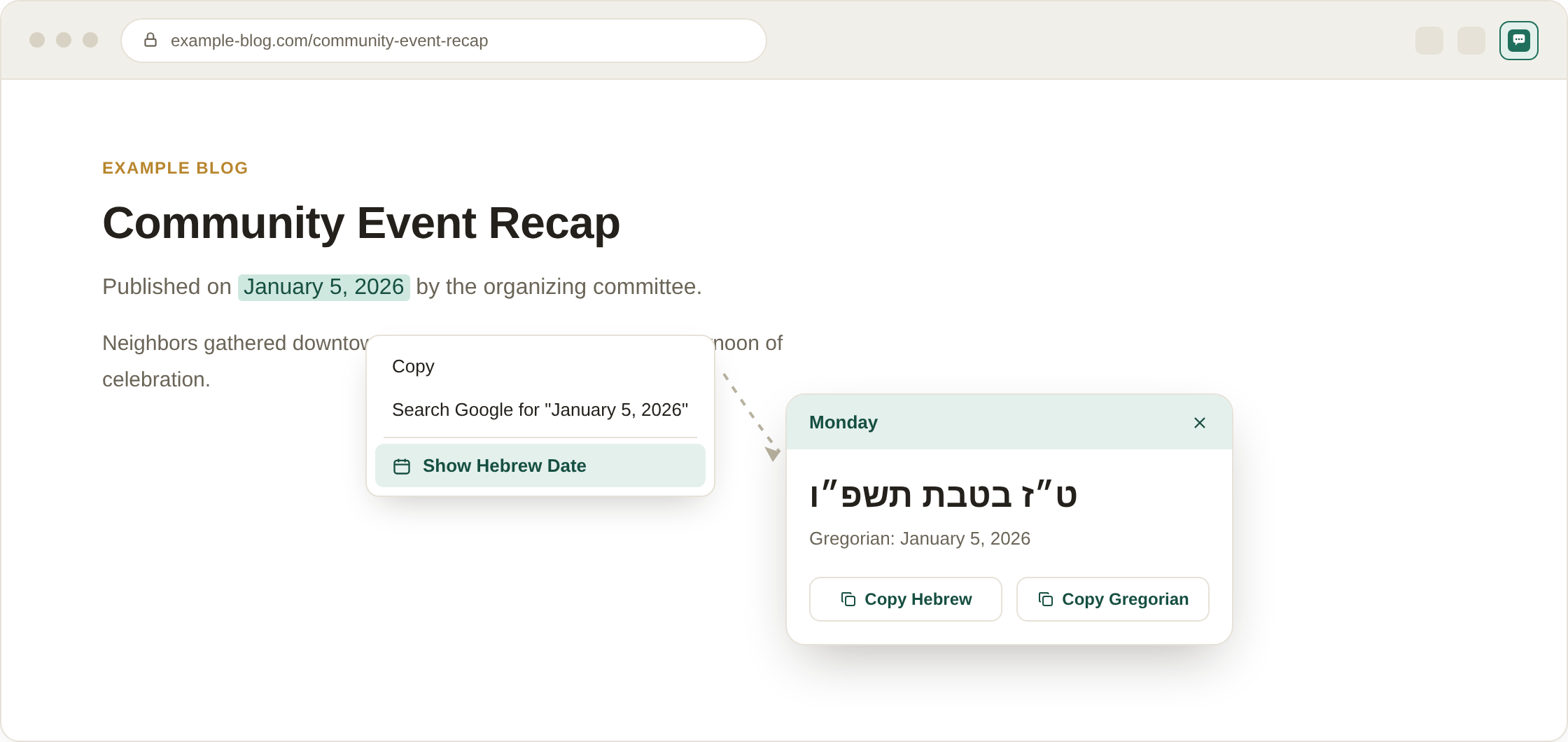
Illustrative mockup of the extension in use — right-click a date, then copy the Hebrew or Gregorian text.
Hebrew Date Bubble lets you highlight any English (Gregorian) date on a webpage, right-click it, and instantly see the matching Hebrew calendar date in a floating, animated popup. It uses live data from Hebcal.com, so conversions are accurate and account for time zone and location settings you choose.
Whether you're checking a yahrzeit, planning around a Jewish holiday, or just curious what the Hebrew date is for an event on a webpage, the bubble appears right where you clicked — no need to open a separate calendar site or app.
Install Hebrew Date Bubble, then highlight or right-click any English (Gregorian) date on a webpage and choose "Show Hebrew Date." A floating bubble instantly shows the matching Hebrew calendar date, using live conversion data from Hebcal.
Yes — it works on any webpage where you can select or right-click text, since it reads the date you highlight rather than relying on a specific site's layout.
Yes, that's one of its most common uses — right-click a Gregorian date to instantly see the corresponding Hebrew date for tracking a yahrzeit or anniversary.
No. Hebrew Date Bubble does not collect, store, or transmit any personal data — it only sends the date you select to Hebcal's public conversion service to display the result.