Copy Without Nikud
Copy selected Hebrew text without nikud (vowel marks) — via right-click or a keyboard shortcut.
Add to Chrome — it's freeCopy selected Hebrew text without nikud (vowel marks) — via right-click or a keyboard shortcut.
Add to Chrome — it's free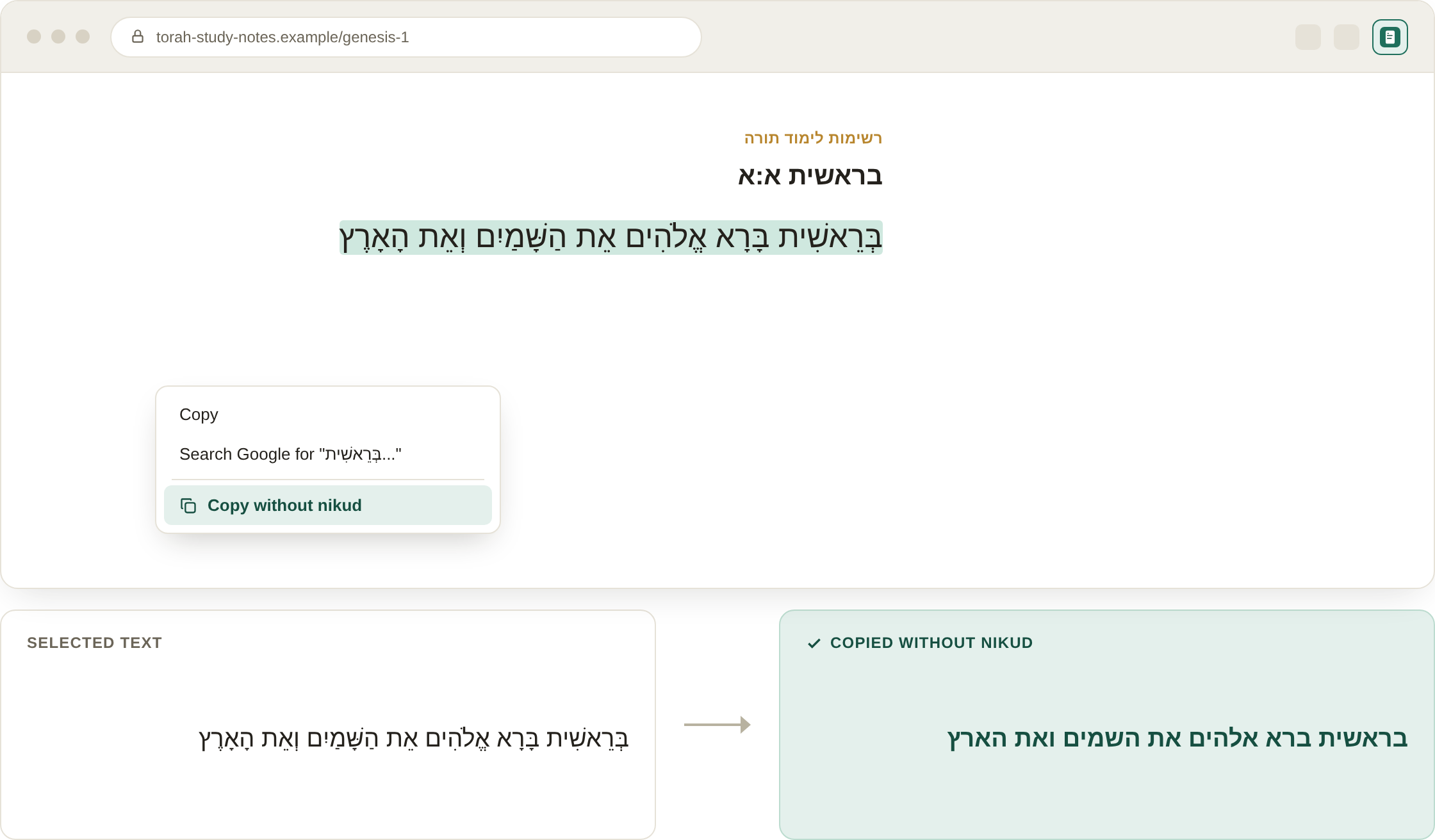
Illustrative mockup of the extension in use — select Hebrew text, right-click, and copy it without nikud.
Copy Without Nikud removes vowel marks (nikud) from Hebrew text the moment you copy it. Select any Hebrew text on a webpage, right-click, and choose "Copy without nikud" — or use the keyboard shortcut — and the plain, unvocalized text lands on your clipboard, ready to paste anywhere.
It's especially handy for educational material, OCR and translation workflows, design and publishing, and simply improving reading fluency in tools that don't render nikud well.
Preparing educational materials, cleaning up text before OCR or translation, improving reading fluency, and design or publishing workflows where clean, unvocalized Hebrew text is needed.
Nikud are the small dots and dashes added under and around Hebrew letters to mark vowel sounds. Most everyday Hebrew writing (news sites, books, signage) omits them, so text copied from a vocalized source — like a Bible or prayer text — often needs its nikud stripped before it fits naturally elsewhere.
Manually retyping is slow and error-prone for longer passages. Copy Without Nikud does it instantly with a right-click or keyboard shortcut, preserving the exact letters and word breaks while removing only the vowel marks.
Yes — select any Hebrew text with nikud on any webpage, right-click, and choose "Copy without nikud" (or use Alt+Shift+C). The extension automatically detects Hebrew letters and only activates when relevant.
No. All processing happens locally in your browser — no text is transmitted or stored anywhere.