Hebrew Date Bubble
Right-click any date to view the Hebrew calendar equivalent in a stylish, customizable popup bubble.
Add to Chrome — it's freeRight-click any date to view the Hebrew calendar equivalent in a stylish, customizable popup bubble.
Add to Chrome — it's free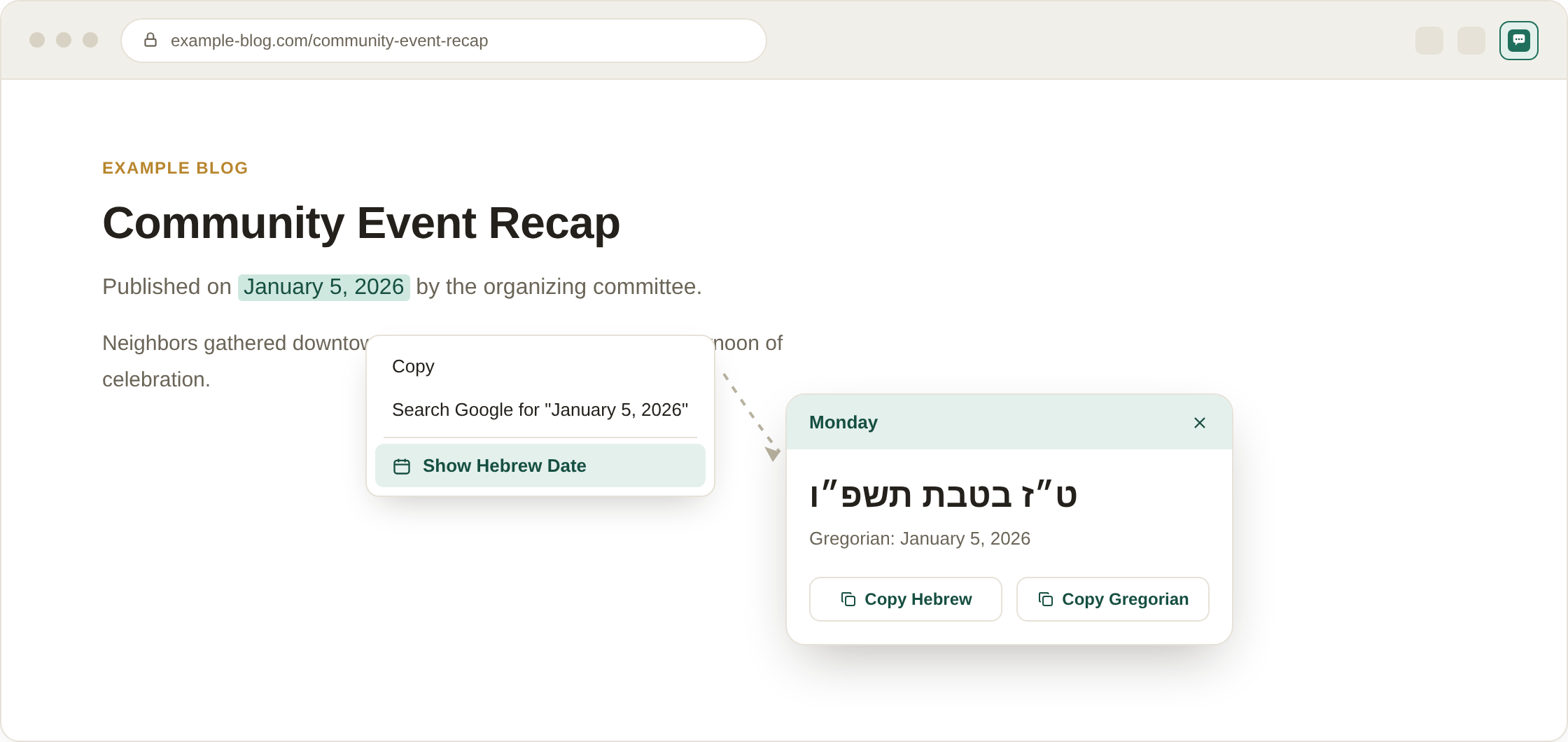
Illustrative mockup of the extension in use — right-click a date, then copy the Hebrew or Gregorian text.
Hebrew Date Bubble lets you highlight any English (Gregorian) date on a webpage, right-click it, and instantly see the matching Hebrew calendar date in a floating, animated popup. It uses live data from Hebcal.com, so conversions are accurate and account for time zone and location settings you choose.
Whether you're checking a yahrzeit, planning around a Jewish holiday, or just curious what the Hebrew date is for an event on a webpage, the bubble appears right where you clicked — no need to open a separate calendar site or app.